Our side project vGraphs dot com is almost finished. It is a dedicated website for Riot’s newest game – Valorant. We are still waiting for the official API, and as soon as it becomes available, we will add statistics and player lookup to the site.
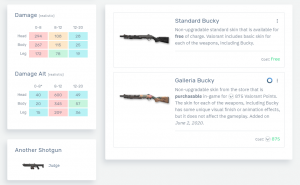
The vGraphs.com currently features the most detailed and the most accurate information about Valorant in the whole internet. No other site stays close to the attention to the details and its correctness. For example, the damage of the Valorant’s weapons. Let’s take a look at the shotgun Bucky – vGraphs is the only website that has detailed field tested damages for various distances, such as 8, 12, and 20 meters:
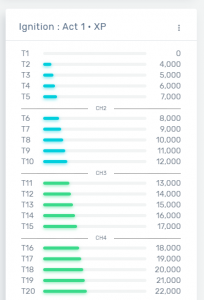
Or perhaps, you are on your way to finish the first Battle pass – Ignition : Act 1. We have the first and currently the only website that features all the details, all the rewards, as well as the most accurate XP requirements for all missions, including this battle pass:
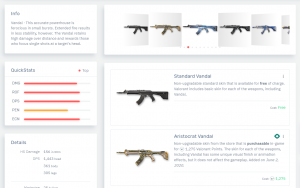
If you need to look up some information about weapon skins in Valorant, then vGraphs is the right place. We have up-to-date information and all photos/images for all weapon skins and their possible upgrades. Here is an example for Vandal rifle:
Also, do not forget to check out Light/Dark theme switcher under the agent menu at the top-right corner of the site. It allows to change from the default white to the energy efficient dark theme:
Some more beautiful examples of Valorant information about agents, free rewards, bundles, gun buddies, and agent abilities:
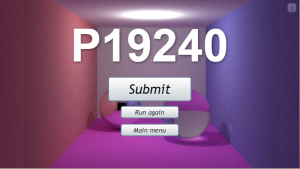
Microsoft killed Silverlight in 2012, and as you may have noticed the Internet Explorer is the last browser that supports it. So as the result, less and less users are using SilverBench to benchmark or stress test their PCs. Today we are launching SilverBench v2 rewritten entirely in the JavaScript, so you can now benchmark any device that has a web browser.
We have also taken a step further, and instead of Ray tracing we are now using Photon mapping. And Photon mapping is a way slower, so the Stress test runs even slower while still consuming 100% of all the CPU cores. Also, the Silverlight by design allowed us to use only one CPU socket. We are now using JavaScript Web Workers, and in theory this should scale across any number of CPU sockets, but we have not tested this yet. Update: We tested, and it works across multiple CPUs.
Update October 2021. Microsoft finally fixed this issue in Windows 11 👏
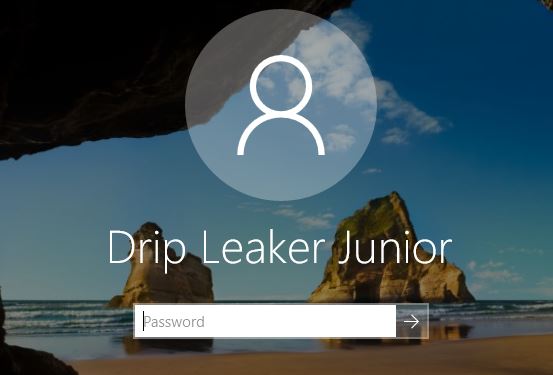
If you are concerned about privacy then you probably know that it isn’t good idea to use your real name as a Windows account name. Not only Windows contains security flaws that can steal your username, but it is prominently displayed on your laptop’s sign-in screen, and any person who is behind you knows your first name and last name.
Windows 10 sign-in
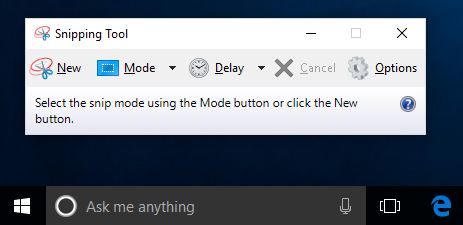
Today’s story is about the Windows 10 built-in tool that is used to take screenshots – Snipping Tool. It is a very convenient software utility that allows you to capture full-screen images of your PC’s display or just a window or a part of it.
Windows 10 Snipping Tool
It is very easy and convenient to take a snip and share it in the internet. However, when you are sharing it in the form of a JPG image, you are leaking your username or full name (in case you use it as a sign-in or account name in Windows 10). Thankfully the “save as JPG” is not the default setting for saving images, the PNG is. But also note that there is no any option or indication that your name will be embedded into image metadata also known as the Exif Header.
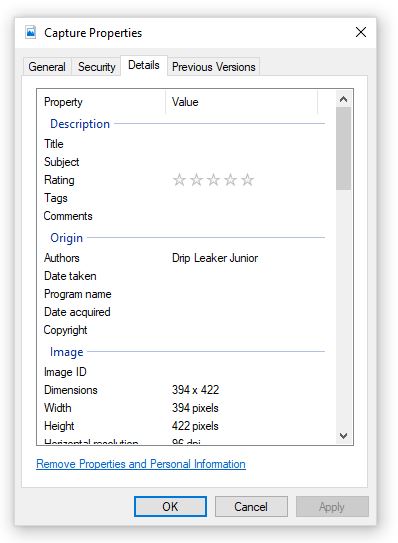
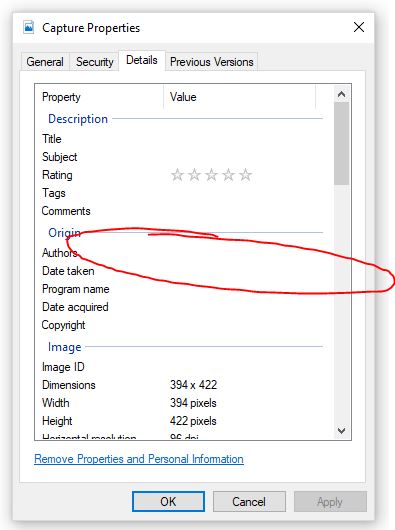
I have created a Capture.jpg image as an example using Windows 10 test account with the name of the fictitious character – Drip Leaker Junior to illustrate the leak. After saving a .jpg image on the storage, click right mouse button on it and choose the Details tab. You will see your name under Authors property.
Capture.JPG properties
Fortunately there is an option to “Remove Properties and Personal Information” in the same Details tab as shown in the screenshot above. But unfortunately it does not remove information completely. That would be fun if NSA was behind this, but most probably this is just a bug that causes your name leakage hidden from you but visible to any computer savvy person.
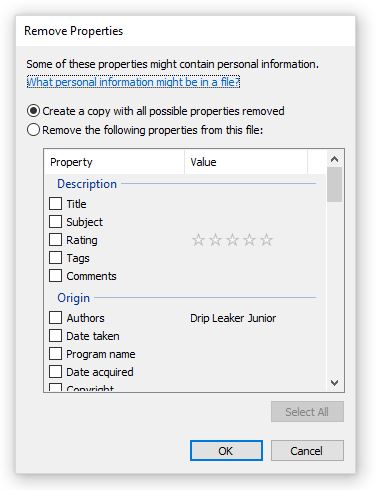
So what happens after you click on the “Remove…” link? It asks you to create copy with all possible properties removed or allows you to remove selected properties from the original file. See the screenshot below.
Remove Properties window
It doesn’t matter which option you choose, the personal information is not removed. It seems removed if you open the file properties again (right click on the file, and choose the Details tab). But isn’t. Your username/full name is still embedded in the JPG file.
Seems that Authors property is removed
To understand what is happening behind the scenes you will need some file viewer or better – Hex Editor. A program or App that can show contents of any file in the byte or character representation. Using such an app can reveal information that usually is not visible to a naive user.
Now if you look at the original Capture.jpg file using a such tool, you will notice an embedded username in 3 places. See the hex dumps below.
When you use feature “Remove Properties and Personal Information”, it removes last entry, around 012B0 address, but leaves other two untouched. Also, notice 0x00 between characters in the second hex dump. Most probably it is an Unicode version of an author.
Why I didn’t report this bug to Microsoft? I actually did report the same bug for Windows 8 about five years ago, and the fix never came…
So what can you do to prevent your personal information leakage? Maybe stick to the .png format (the default one) which seems to not have this bug. Or try to submit a bug to Microsoft. Perhaps you will have better luck than me.
Software used to in the tests – fully patched Windows 10 Pro 64-bit, Version 1803 (OS Build 17134.167). Hex Editor used – freeware Febooti HEX Editor.
P.S. If you are wondering what happens when you click on the Help link from the Remove Properties window called “What personal information might be in a file?”, it leads to https://go.microsoft.com/fwlink/?LinkId=517009 that redirects to the root page of Windows 10 support – https://support.microsoft.com/en-us/products/windows?os=windows-10 which of course doesn’t have any useful information. This may be related to the fact that somehow Microsoft is not dedicating enough resources to software testing, but that’s the story for another time.