1. Automate using Windows built-in Task Scheduler
2. Task Scheduler on steroids
3. Find and Replace a word or phrase in many files
4. Rename files in bulk
5. Convert, resize, flip, and rotate images with ImageMagick
6. Record and playback mouse clicks
7. AutoHotkey scripts
8. PowerShell and script files
Doing the same task every day may be boring. Especially if you feel you are doing the same boring stuff again and again. But there is good news — a lot of this work can be automated. I am covering only the most popular problems people have (ordered by popularity from the support department at my company). There are literally a gazillion tasks or workflows that can be automated, and this article is only an introduction to the world of automation.
I love open source software! Therefore most of the listed apps here are open source (or freeware tools). If you know others please let me know via Twitter.
1. Automate using Windows built-in Task Scheduler
Windows Task Scheduler is a built-in tool that comes with every installation of Microsoft Windows. It is a free addon that allows you to create some basic tasks that are started on a schedule. It has a graphical user interface, and for the most part you don’t need any programming knowledge.
As an example of task automation in Task Scheduler I will show you how to open your Gmail every time you start your computer.
1.1. How to launch Task Scheduler?
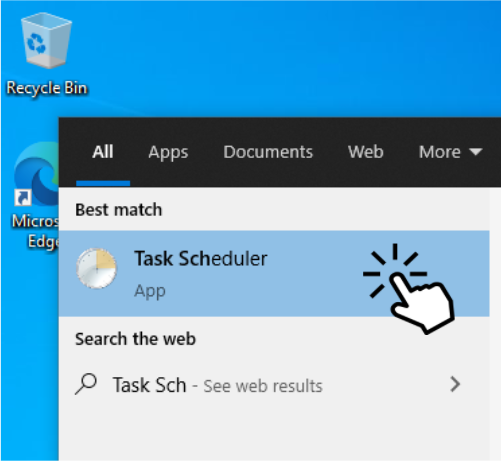
Click on the start button or Cortana search and type “Task Scheduler”
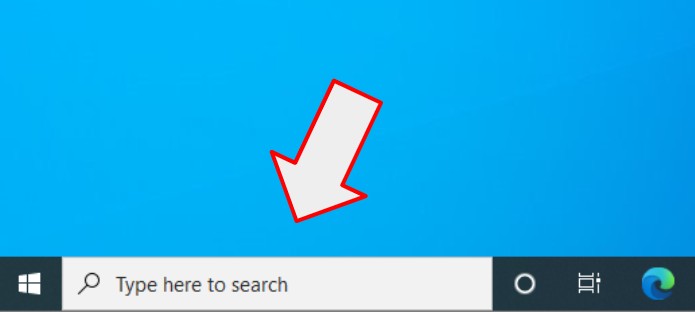
Start Task Scheduler
1.2. How to create a task?
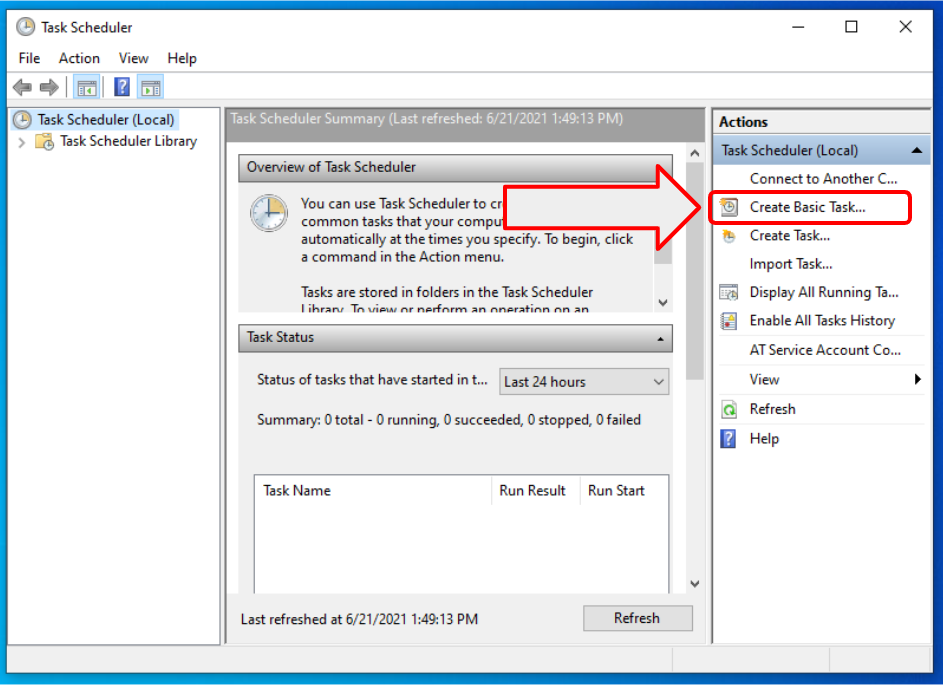
Click on the “Create Task…” or “Create Basic Task…”. Both are basically the same. One uses the wizard form (Next, next, finish), the other brings you right to the properties with multiple tabs. If you are using Task Scheduler for the first time, I recommend using the “Create Basic Task…” feature.
1.3. Give a name
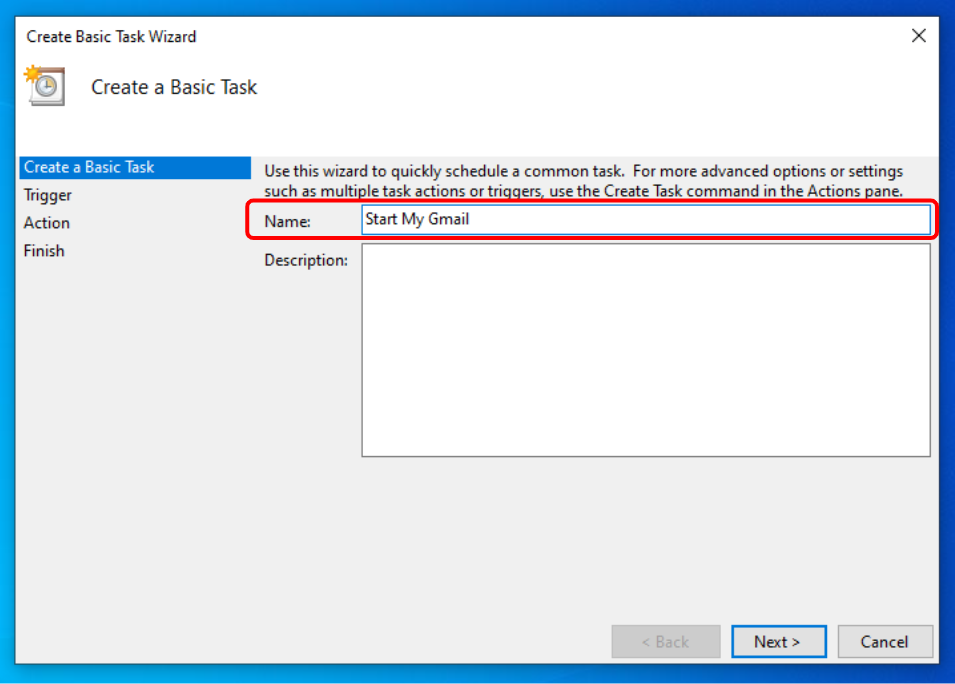
Give your task a name. It can be anything — for example “Start My Gmail”.
1.4. Choose when to start the task
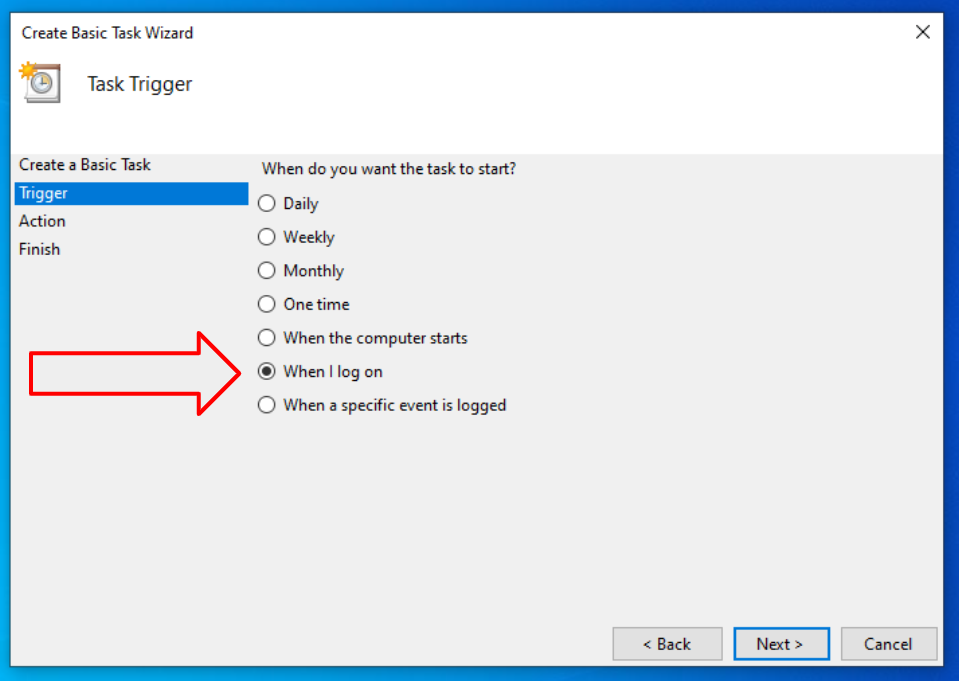
You can start your automated repetitive tasks on a schedule (daily, weekly, monthly, one time, etc.) or when you start your PC or log on a computer. For the purpose of example I will choose the “When I log on” option.
1.5. Run a program
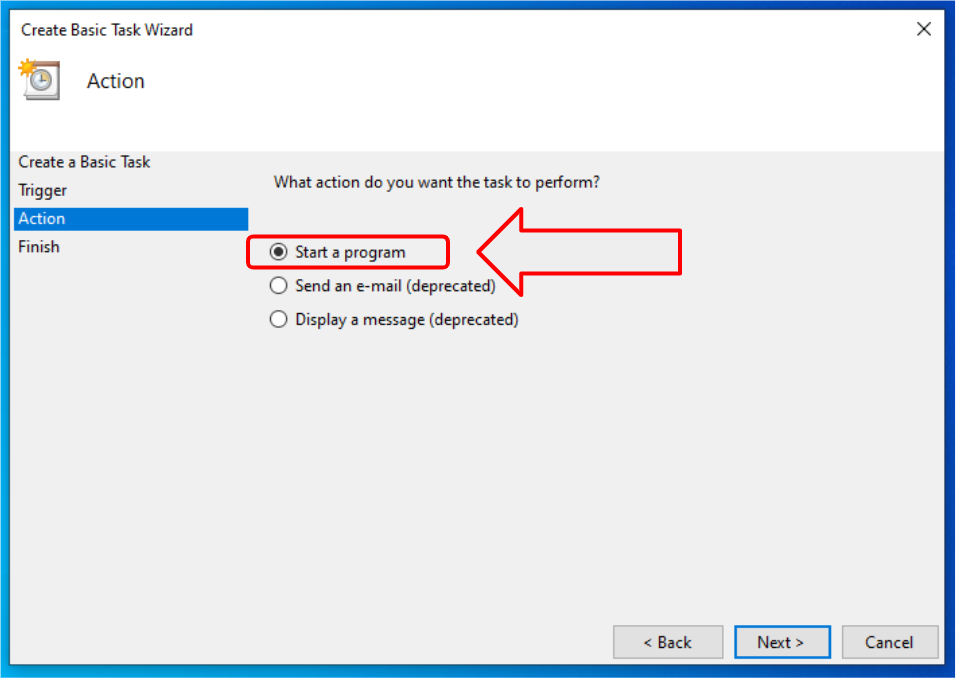
The most widely used option is “Start a program”. This option allows you to start any installed app on your computer to automate repetitive tasks in Windows. We will start Google Chrome Browser with this action.
1.6. Open your Gmail on computer start
First browse to the location where Chrome Browser is installed. The default app location is: C:\Program Files\Google\Chrome\Application\chrome.exe
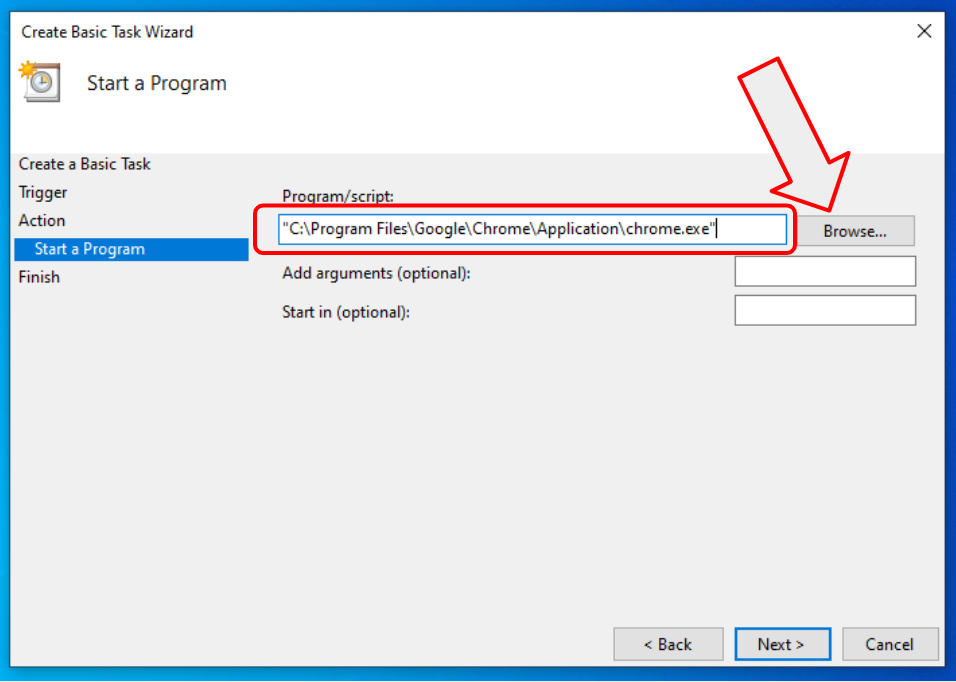
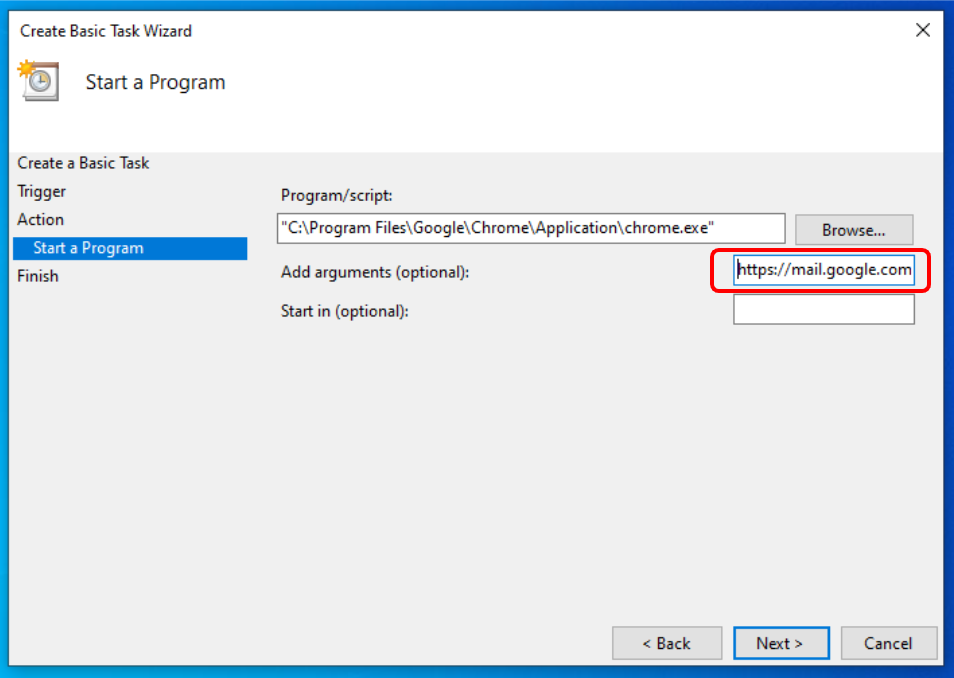
Program arguments are optional. If you leave them blank then Chrome will open with your default homepage which usually is an empty tab. You can type in any webpage URL or address as an argument, and Chrome will open it on launch. Let’s type https://mail.google.com/mail/u/0/#inbox to open your Gmail inbox. If you have multiple Gmail or Google Workspace accounts, change “0” (zero) in the URL to “1”, or “2” if you have more than two inboxes, and so on.
1.7. Done!
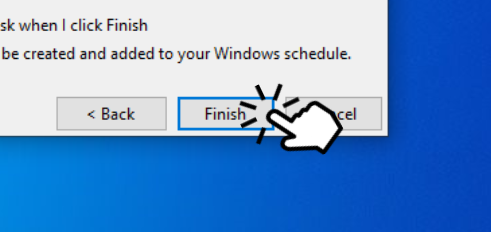
Click finish!
1.8. Conclusions
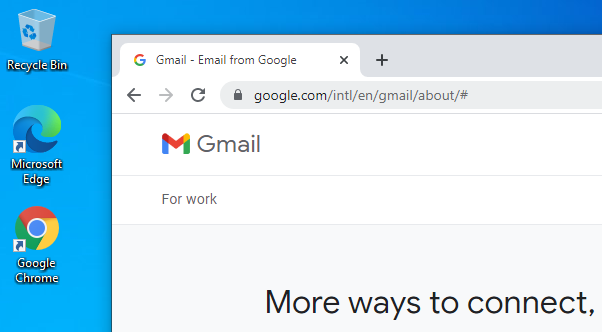
Congratulations! You have created your first automated task. This is a huge step to task automation! From now on, every time you log on, the Chrome browser will be automatically launched with your Gmail opened.
To edit or delete your task, go to Task Scheduler again, click on “Task Scheduler Library” and look for the task we have just created “Start My Gmail”. To edit it, click on “Properties”. Have fun!
2. Task Schedulers on steroids
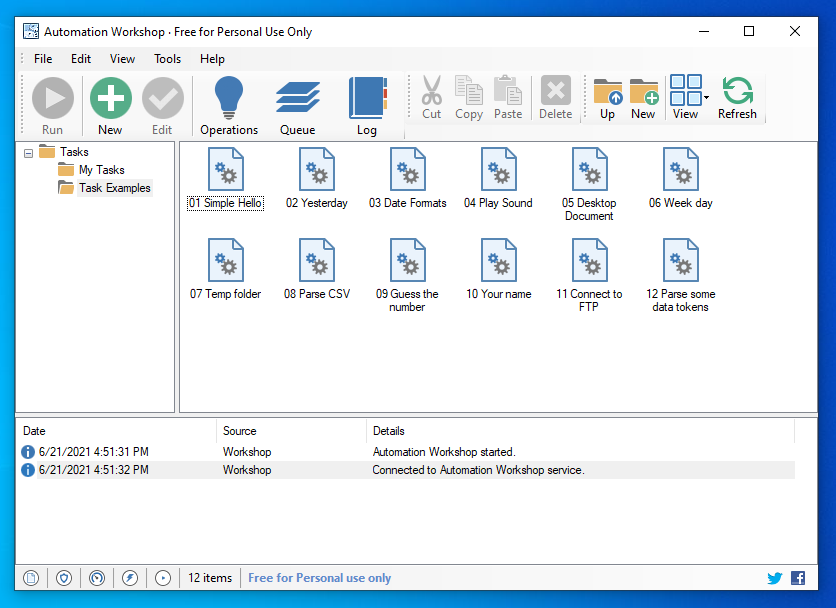
Microsoft is fairly good at creating basic functionality, but when you want to automate computer tasks in the pro level, there’s a lot of choices. One particularly easy to use app is Automation Workshop. It has paid and free plans and they proudly call it a no-code solution. Basically it means that you never (or rarely need any programming knowledge or command line usage).
2.1. Let’s automate email sending
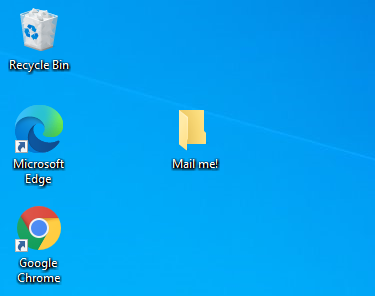
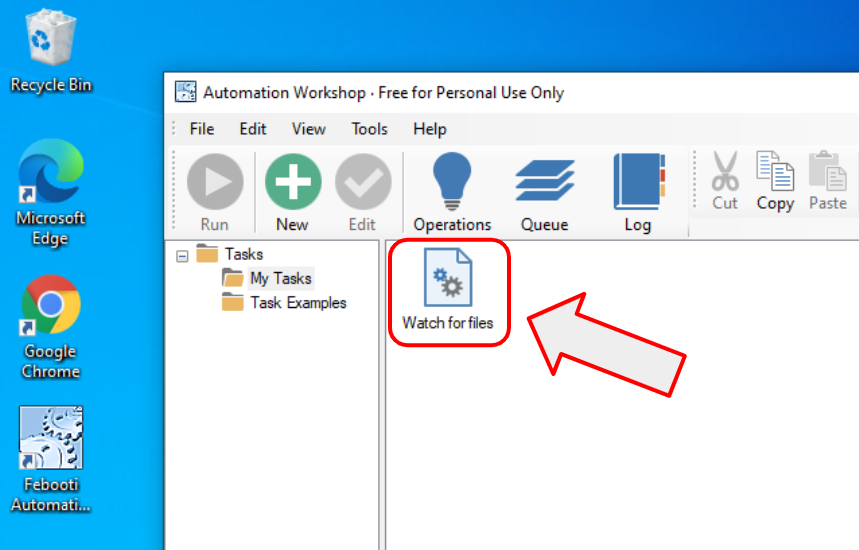
Automation Workshop can automate more than 100 things, but for the purpose of this example I will show you how to automate email sending. I created a folder on the desktop called “Mail Me!”, and I will create an automated job that will send an email once a file is dropped on the folder. The click-and-point user interface allows you to do this with some simple clicks.
2.2. How to create an automated task?
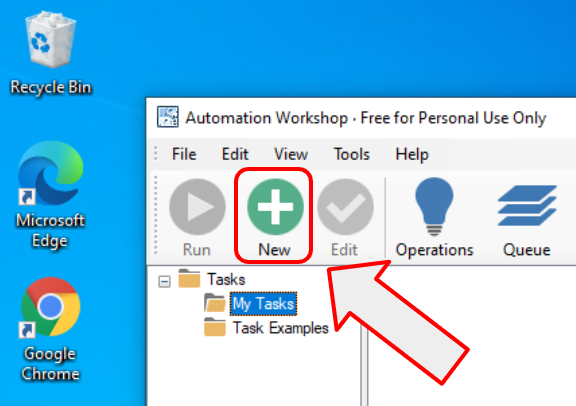
The process of creating a task is very similar to the Task Scheduler tasks. Click on the “New Task” and proceed with a task creating wizard the same way it is done in Task Scheduler.
2.3. Triggers
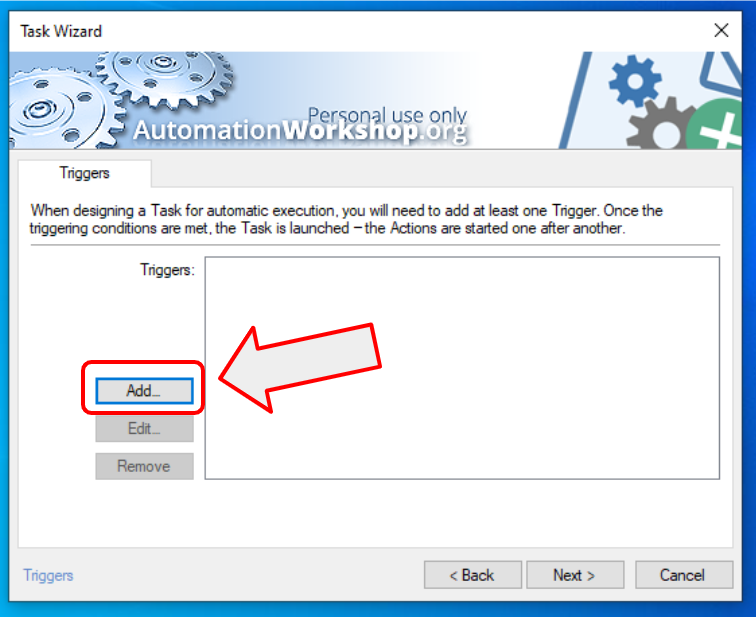
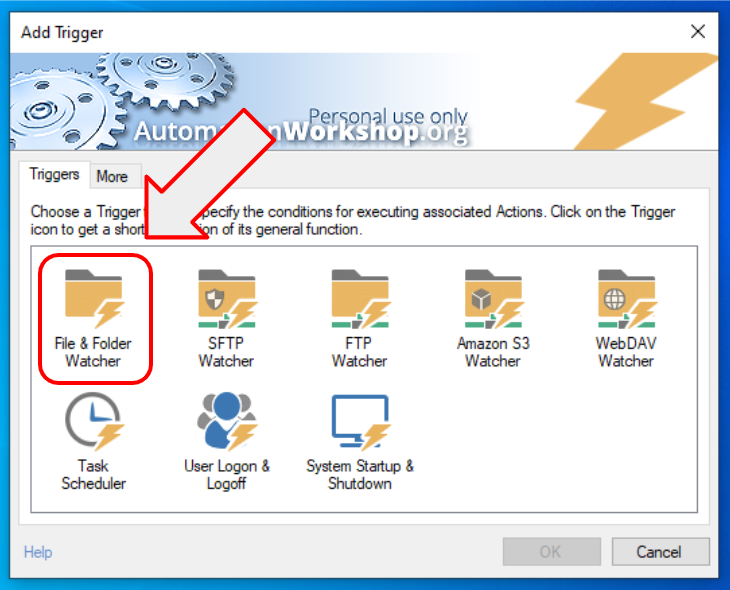
There are two types of tasks in Automation Workshop. The ones you start by clicking your mouse (manual start), and the ones that start automatically or on a particular event (automated start). To automatically start a task, you need to add a trigger to the task. As we want to send an email when a user drops a file in the folder, we need one particular trigger – File & Folder Watcher. Click “Add…” to add a trigger.
2.4. Triggers everywhere
There is so much more you can do with Automation Workshop compared to Windows built-in Task Scheduler. There are triggers for every automated job. You can automate PC startup and shutdown, or log on / log off. You can schedule tasks using Task Scheduler that allows very simple and very complex schedules (Microsoft can learn here how to create a GUI).
And there are many file watchers that can act on various file events, on a local computer, or on remote servers, and more. To not dive too deep we will use the “File & Folder Watcher” trigger to monitor our recently created folder for new files.
2.5. Monitor new files
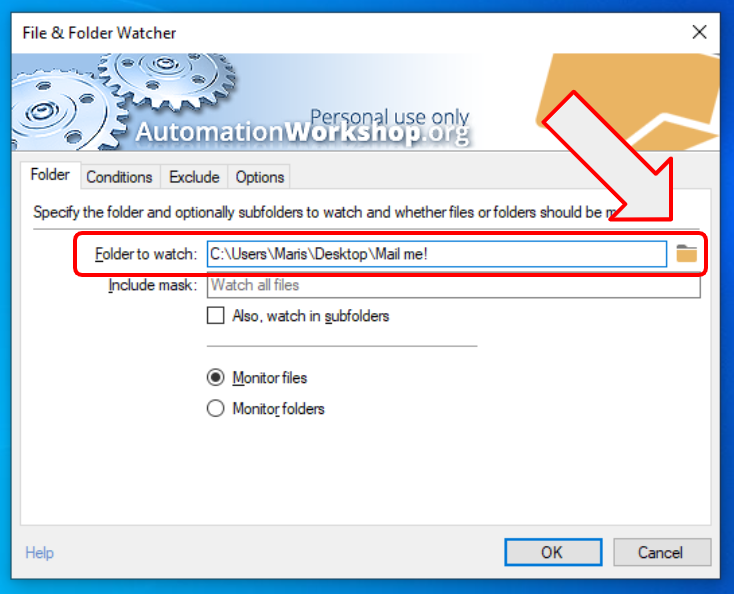
To configure the Watcher, click on the browse button, and navigate to the folder you just created. To the folder where we will drop files to be emailed. Optionally, you can finetune the include mask to monitor a folder for all PDF files “*.pdf”, or if you want to drop only image files, then you can define multiple masks “*.jpg | *.png | *.gif”. This way the trigger will fire this task on any JPG, PNG, or GIF file dropped on the folder.
2.6. Other options
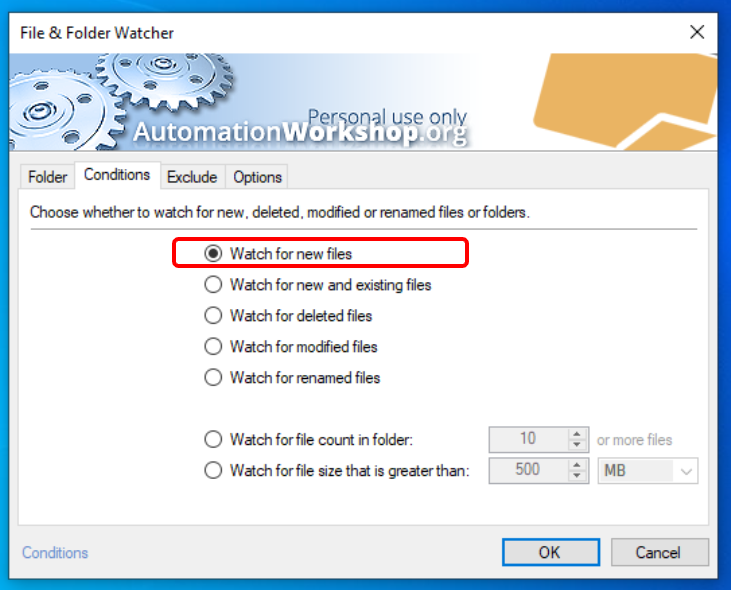
There are tons of options to tune, but we can stick to the defaults. The option to “Watch for new files” is already selected. This means that the trigger will fire this task only on new files, e.g. when we drop a new file on the folder. Close the trigger properties by clicking OK.
2.7. Actions
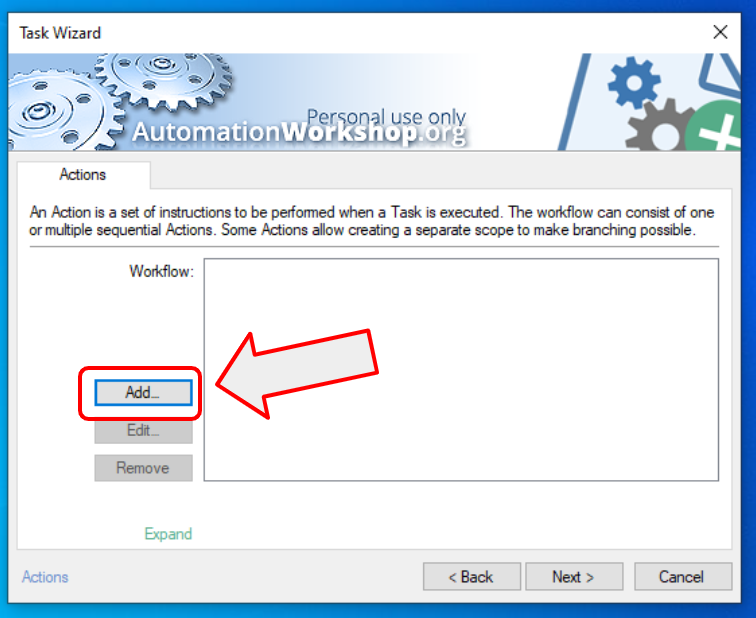
The heart of each task is “Actions”. This is the part that does the job specified. This is very similar to the actions in Task Scheduler. You define steps of the workflow and the app will perform them again and again. Suddenly automating repetitive tasks becomes an easy task. The process of creating automated workflows is somewhat similar to robotic process automation, but instead of bringing in the heavy artillery, we use very simple steps to create automation in Windows.
To add one or more actions, use the “Add…” button.
2.8. Actions, actions, actions
There are a lot of actions. There are actions to start an app, to copy or delete a file, to automatically zip files, to let your computer speak, and a lot more. You can even create the IF-else logic with loops and very precise calculations.
However, for this simple task let’s choose the “Send Email” action.
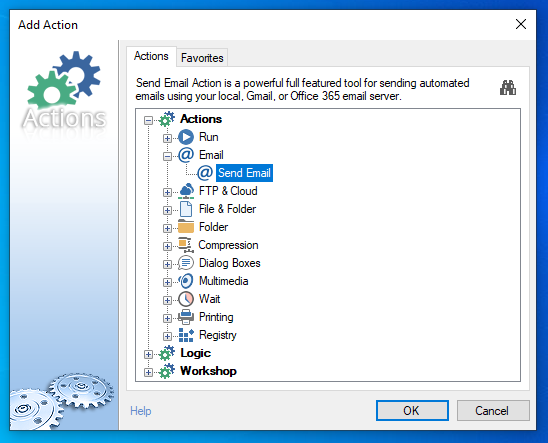
2.9. Configuring the Send Email action
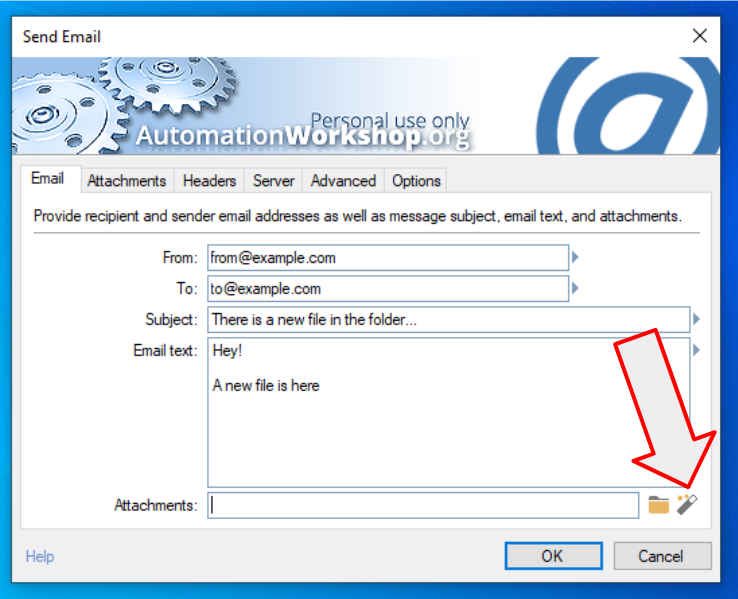
Fill all the static fields. Static fields stay the same each time the task is launched. However, we need to tell the app that we want to send exactly that one new file that was added to the folder. We could list all files in that folder, sort them by the date created, and choose the newest… but there is an easier way.
Click on the Magic Wand icon to open the Variable Wizard.
2.10. Where the magic happens
Choose the trigger we have created earlier. It will automatically populate the email’s attachment field with the newest file. In other words — the file that caused the task to start is populated with this approach. The Variable Wizard magically connects all actions and triggers so that you don’t need to do any programming.
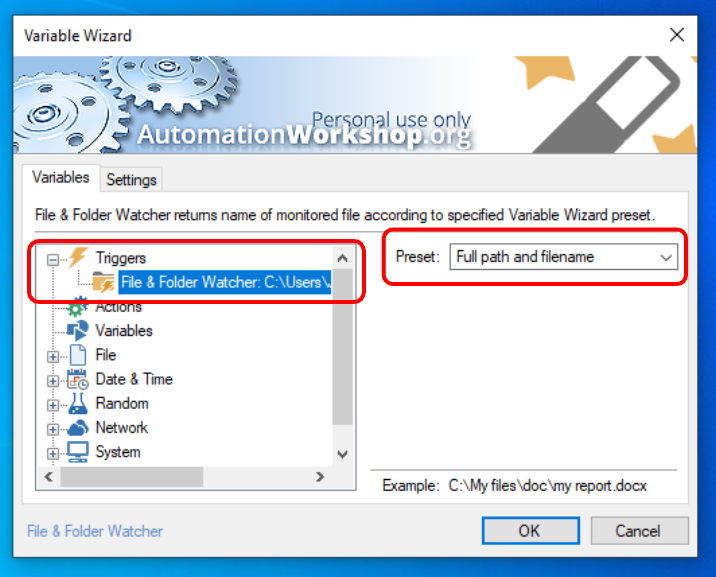
2.11. Dynamic variables without writing a single line of program code
Notice the Filename variable that is automatically created by the Variable Wizard. It will automatically populate the attachment field of email with the filename that just hit the folder. No scripting or programming required. Magic! That’s why such a tool is called — no-code or low-code app.
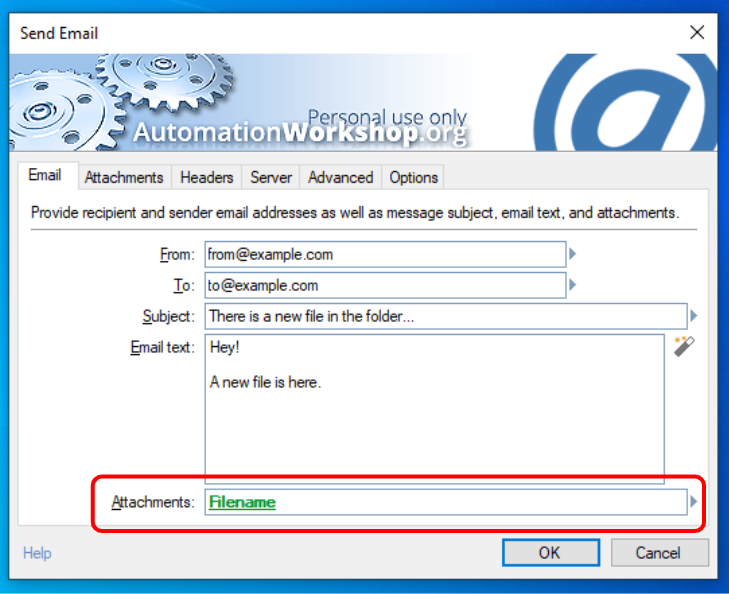
2.12. Your automated task is ready and working
Click ok, next, next, finish and the task is ready! It is already watching for new files, and as soon as a file appears in the monitored directory, it is being emailed as an attachment. It was so simple. With just a few simple clicks you created an advanced application that is automatically doing work for you. Of course this is only a simple example. You can create much more complex and useful tasks with Automation Workshop.
2.13. Note on email server settings
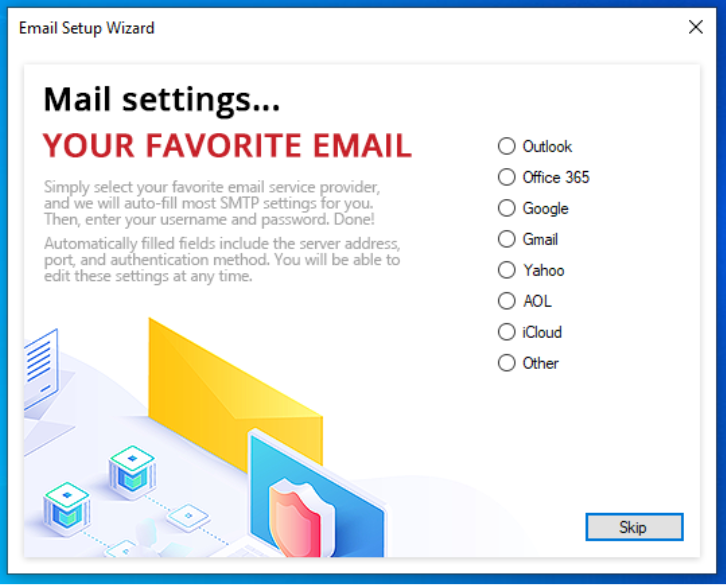
One note about SMTP server settings. These settings are required to send out emails, but they differ depending on your email provider. When you open the Send Email settings, or the main program options you will notice that there is a link to Email Wizard. It will guide you through the email setup wizard and fill all the necessary settings depending on your mail platform.
3. Search and Replace Text in many files using open source tool — Notepad++
3.1. Why replace text?
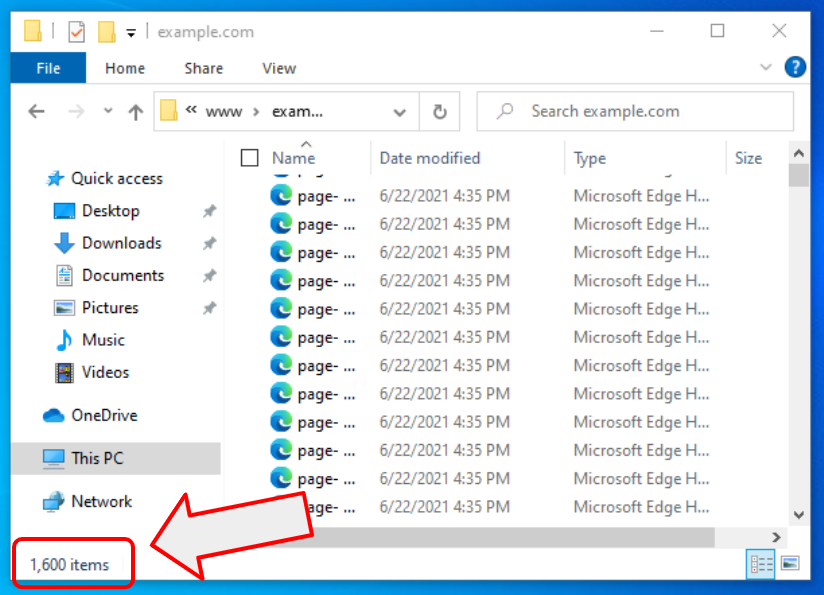
Let’s say you have a new job. You have a production server with a thousand files left on it. The files are created by your former co-workers. They already left the company. And the files are some kind of text files (e.g. HTML files) that are part of the company’s website. The new year just began and your boss asked you to change the year from 2021 to 2022 on all the pages. And you start scratching your head… how many days it will take to manually find all references to the year 2021 and change it to 2022… but read on. This article will teach you how to automate repetitive tasks in Windows.
3.2. Prepare your PC
First a little note. I will show how to replace a word or phrase (text) in a text file. It works with all .txt files, and with all programming language files such as .cpp, .h, .php, .html, .css, etc. But it will not work with .doc, .docx, .xls, .pdf, etc. The latest are not the real text files in the sense of IT terminology.
You will need a Notepad++ app that is free in both senses — free as in beer and free as in speech. It is an open source app that can be downloaded here. It is a replacement for the Windows Notepad app, and it has a lot more features that standard Windows offering.
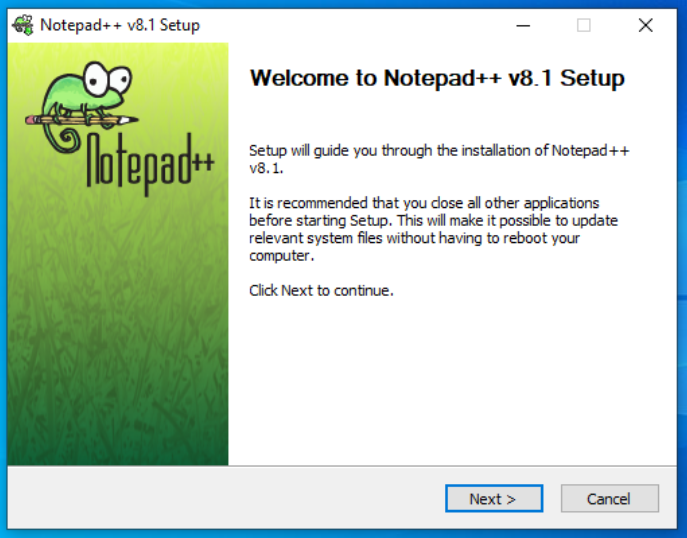
After downloading, follow the simple setup wizard to install Notepad++ on your PC.
3.3. Find & Replace a year from 2021 to 2022 in multiple files
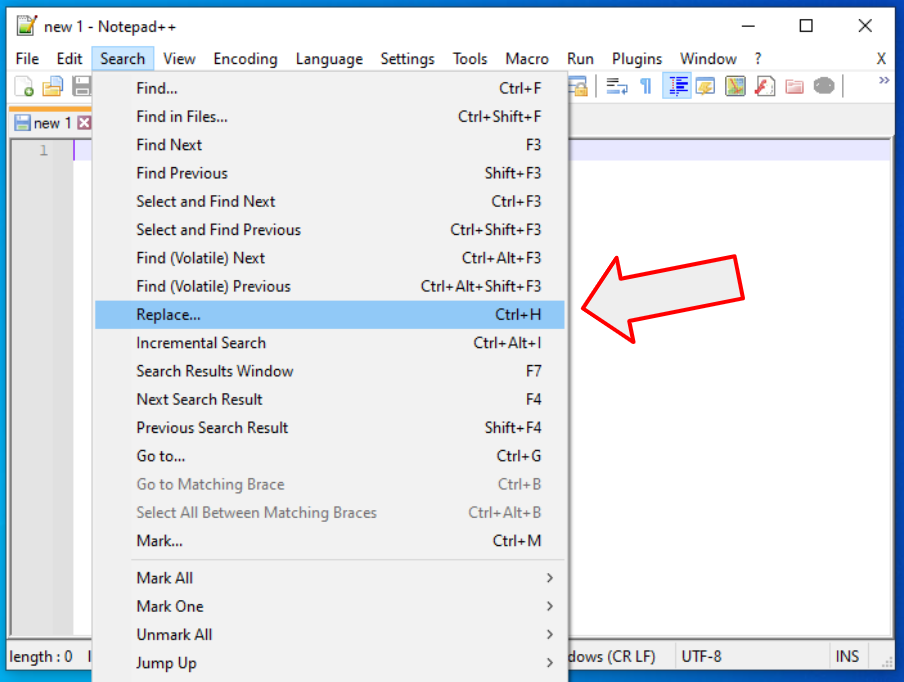
- Open Notepad++
- Go to menu “Search”
- Select “Replace…”
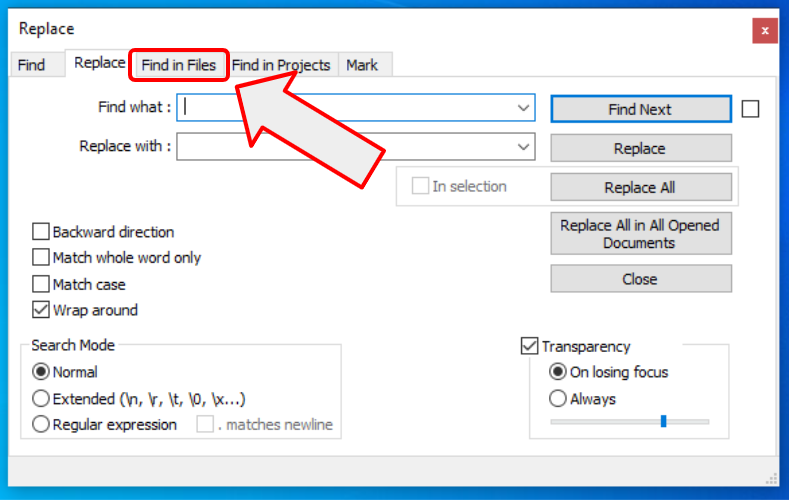
In the replace window choose the “Find in Files” tab…
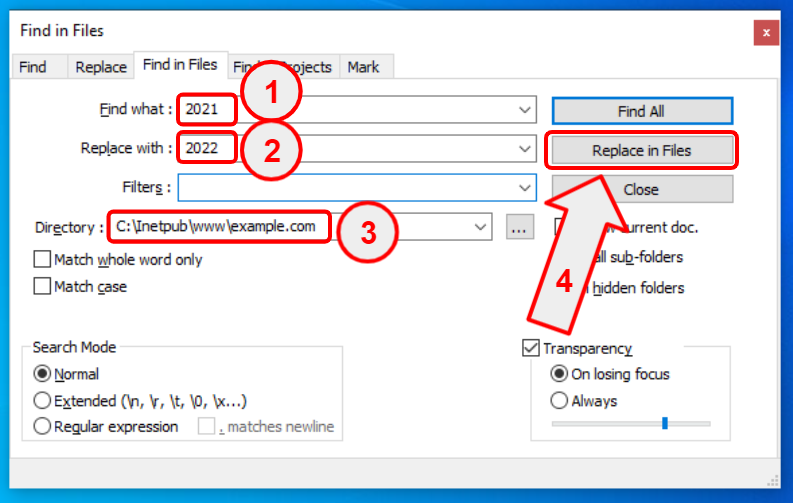
…then:
- Find what – type “2021”
- Replace with – type “2022”
- Browse for a directory where your files are stored
- Click on the “Replace in Files” button
3.4. Conclusions
You just saved yourself a ton of time. Instead of doing manual work, you just automated your PC to do the work for you.
There are many apps that can automate Find and Replace in files, including the Automation Workshop I mentioned in the previous review. However, not all of them are good at it. For example there is a very popular source code editor called Visual Studio Code. It is very capable, it is an open source tool, but it lacks a proper Find & Replace function. In such cases Notepad++ cames in handy.
4. How to rename multiple files at once?
4.1. Automated renaming
You sometimes have a task to rename a lot of files. Renaming them manually would take a lot of time, and the time saved could be spent on more complex things. To automate this repetitive task of file renaming there are at least 3 options.
- Write a script or computer program
- Use the Automation Workshop app I described earlier
- Use an app that is specializing in only one thing — such as Rename-it!
4.2. One problem – one tool
The Rename-it! app does only one thing — it renames files in Microsoft Windows. It is an open source tool that of course can be used free of charge. Download it from its GitHub page and follow a simple setup wizard.
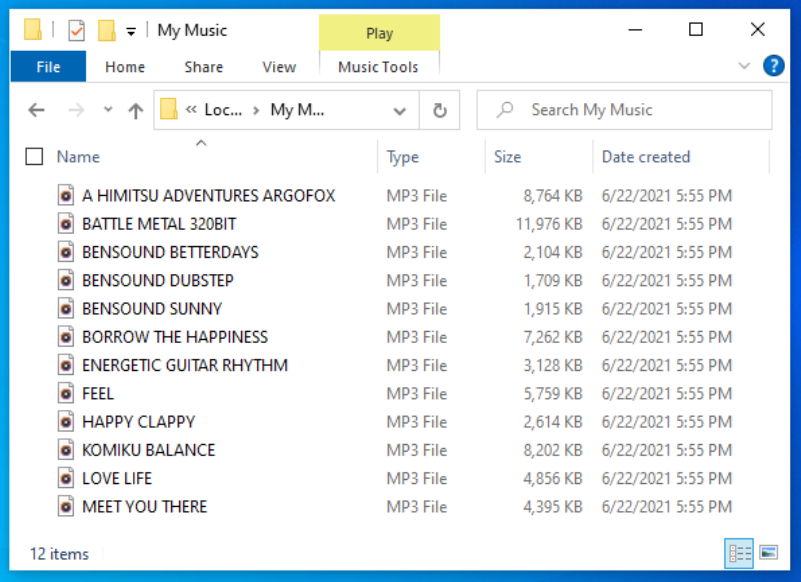
Let’s say you have files that need to be renamed from all caps (UPPERCASE) names to normal naming. Here is a screenshot of how the files look:
4.3. Rename UPPERCASE files to normal or Title Case
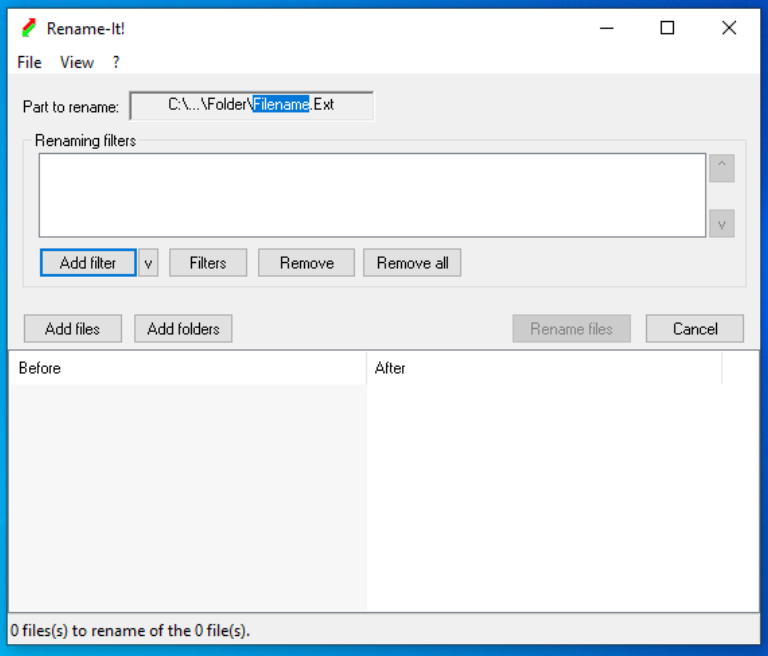
4.3.1. Open the Rename-it! app
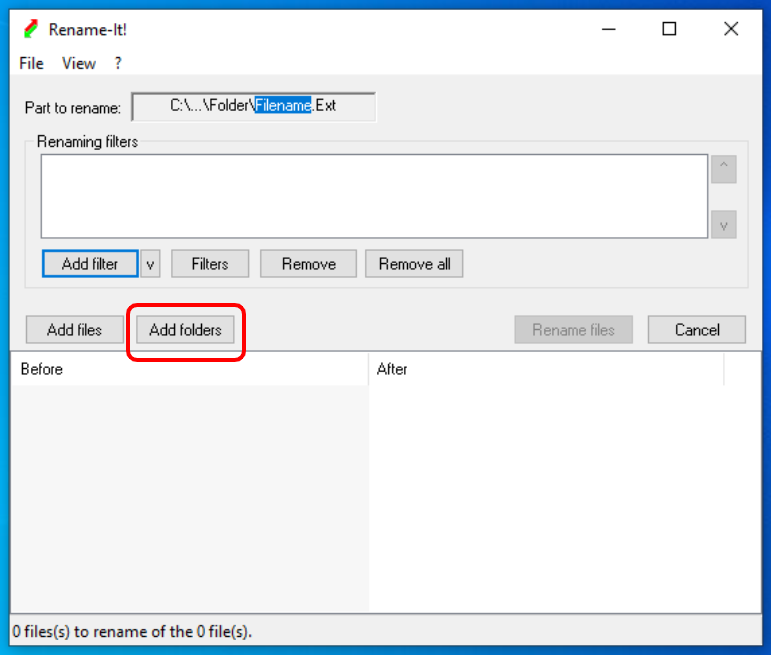
4.3.2. Choose a folder where you files are stored
4.3.3. Choose a filter
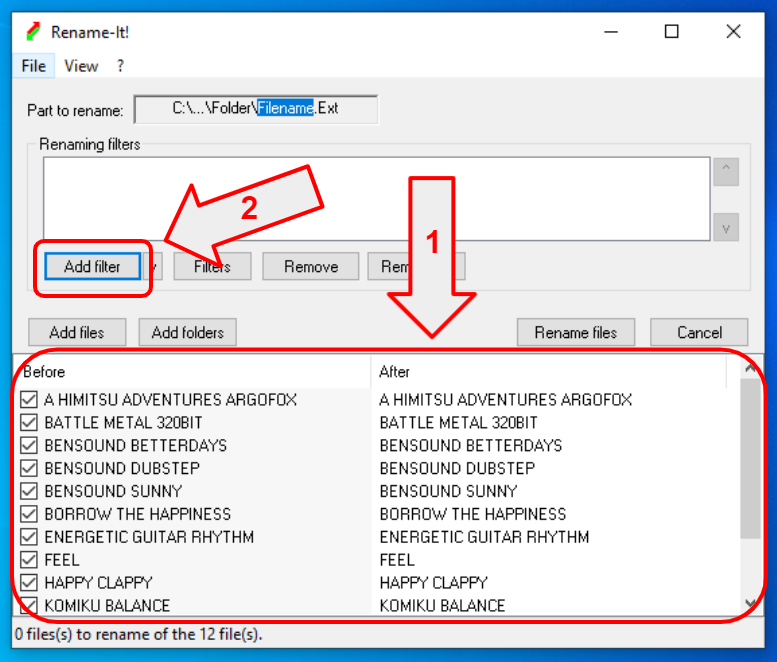
- You can see input and output of the rename operation (currently nothing, as we didn’t define a filter yet)
- Click on “Add filter” – to specify the renaming criteria
4.3.4. Word Case / Title Case
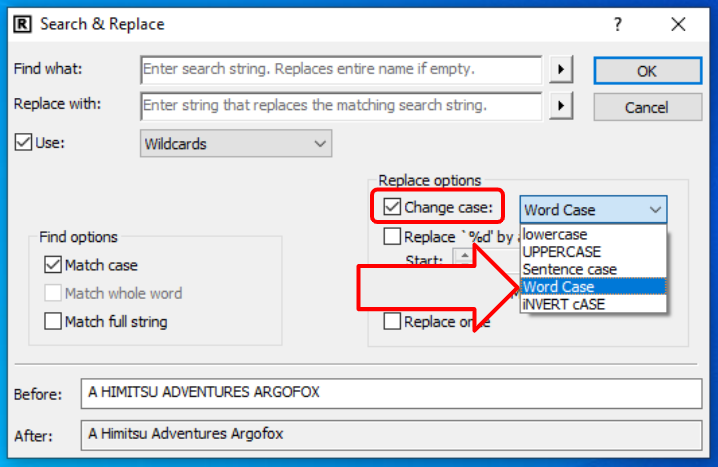
To rename your files from UPPERCASE to Word Case:
- Check “Change case” checkbox
- Select “Word Case” from the dropdown
- Notice the preview “Before” and “After” at the bottom of the form
4.3.5. Word Case / Title Case
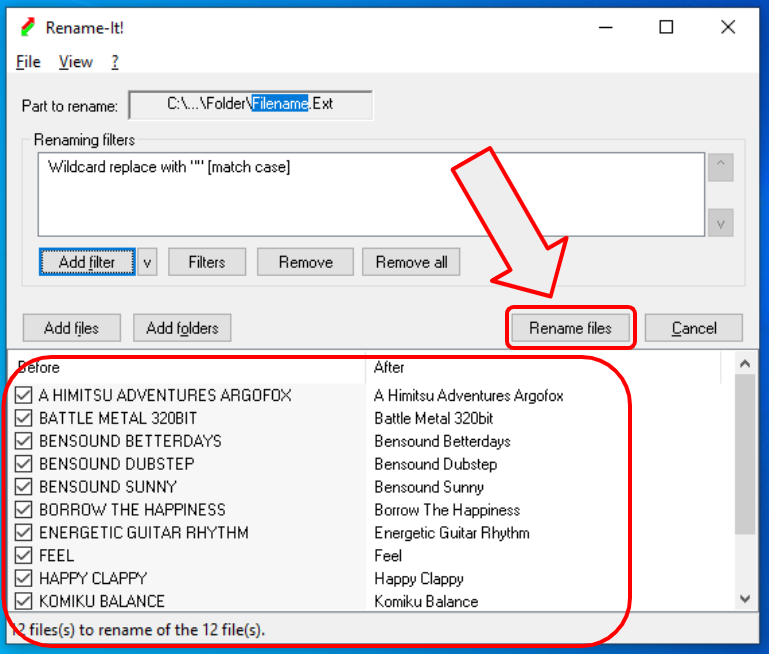
You can preview the renaming result at the bottom of the window. You can see old names on the left side, and new names on the right side. Click on “Rename files” to start the renaming.
4.4. Conclusions
The Rename-it! user interface is somewhat awkward. I tried to use it in more complex renaming scenarios, and it is very counterintuitive. But the bright side — it is free, and it works. It does its job very well. I have tested some renaming of MP3 files, and it is possible to extract information about a song — band, artist, year, genre, etc.
The most confusing thing is that you can click on the “Part to rename” box to change the preview parts of filenames and paths. If you click on different parts, it highlights them along with the preview. Nobody is using such a design pattern. It is super confusing, but once you understand how it works, it does not cause any problems.
You can preview what changes to the file names will be done, but you can not make a backup before renaming. But again, you can download its source code and improve it as you like. That is the advantage of open source software.
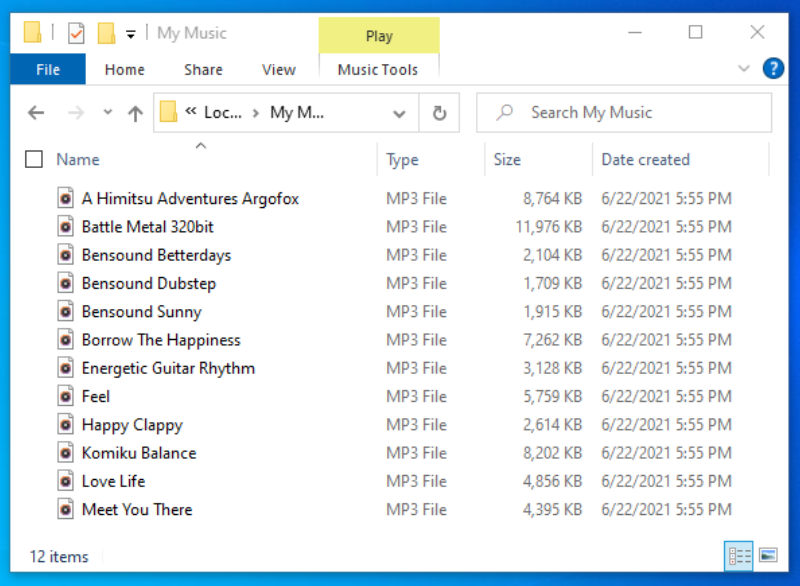
Here is the result of renaming:
5. Convert, resize, flip, and rotate images with ImageMagick
If you are a webmaster or photographer you usually end up with thousands of images and photos. Piles of photos are stacking up after years of hard work. And then you realize that processing them manually is no longer possible.
For example, you take out about 100 images from your collection and want to process them. Let’s say you want to do 3 things:
- Convert JPG photos to PNG
- Resize all images to 1920×1080 pixels
- Convert all 100 images to grayscale
Of course you can open Photoshop or GIMP (an open source alternative) and start a boring manual work. Or you can automate this repetitive task using ImageMagick. The ImageMagick app is open source and free software. It can be downloaded from the official site to automate image manipulations on Windows, Mac OS X, or Linux.
ImageMagick does not have a GUI by default so I will show you how to use it from the command line interface. Before you proceed you need a little command line knowledge. One great benefit of using the command line is that you can put the command from the command line into any automation or job scheduling application to automate your tasks in a fully unattended manner.

5.1. Download ImageMagick
- First you need to download ImageMagick for Windows
- Choose the setup with Q16 in the filename, e.g. ImageMagick-7.1.0-1-Q16-HDRI-x64-dll.exe to download a version with higher color precision
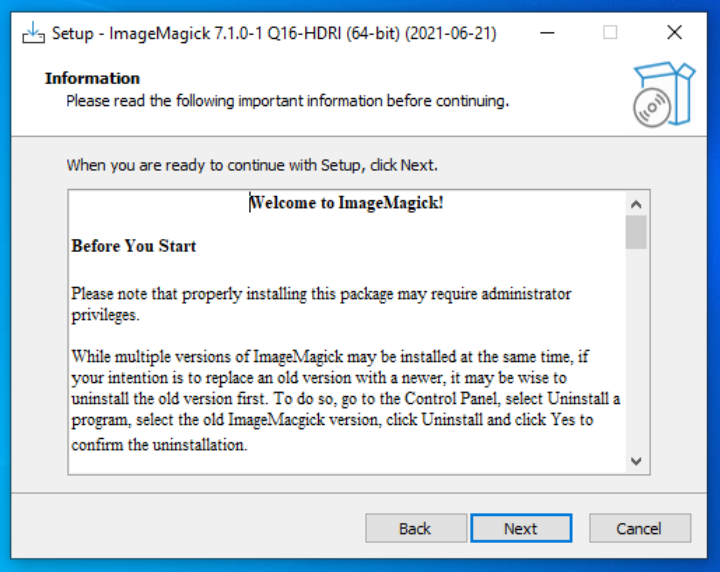
- Go through the setup wizard by clicking “Next, Next, Next…”. You can leave the default settings as they are reasonably well chosen for the beginners.
- This will install ImageMagick on your PC
- You are ready to start automating image and photo manipulations!
5.2. Open the Command Prompt
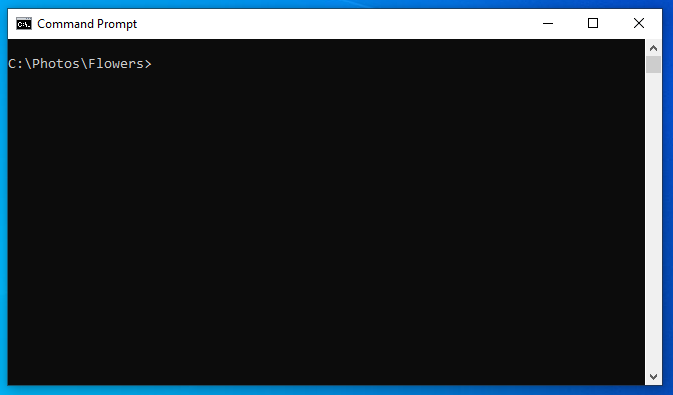
How to open the Windows Command Line app? Click “Start” and type CMD. Or watch this video tutorial on how to do this.
5.3. Automatically resize and convert photos
We need to combine 3 different things in one command line:
- Convert JPEG to PNG with:
magick mogrify -format png *.jpg
- Resize images:
magick -resize 1920x1080
- Convert color photos to grayscale:
magick -colorspace Gray
- As a bonus, we are going to save the result in a different folder:
magick -path C:\Photos\Gray\
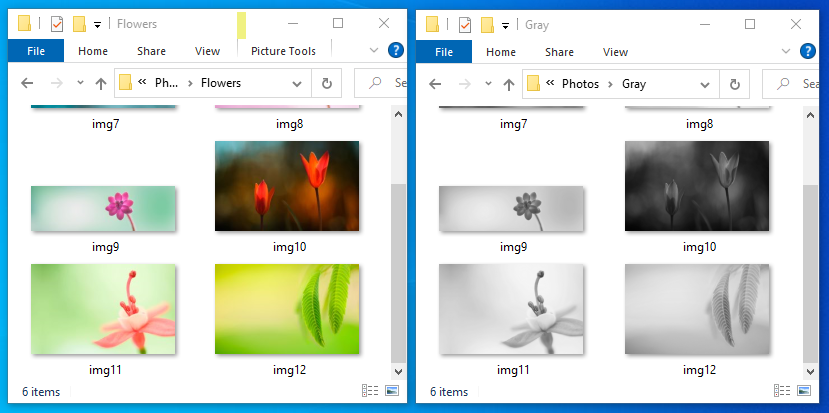
One note on the resolution change. The command -resize 1920x1080 will maintain an aspect ratio of original images. Here are some examples:
- Size 1920×1200 will become 1728×1080
- 3840×1200 will become 1920×600
- and so on…
Here is the final command line — all commands combined into one line:
magick mogrify -format png -resize 1920x1080 -colorspace Gray -path C:\Photos\Gray\ *.jpg
5.4. Conclusions
The ImageMagick app is super useful if you need to automate image manipulations under any OS. The example above can convert thousands of images without any human help. Like in Robotic Process Automation (RPA) a little bot in your computer is working hard, and the best part about ImageMagick — it is completely free.
Besides some simple image manipulations, the ImageMagick app can do a lot more:
- Create a GIF animation
- Uniquely label connected regions in an image
- Use adaptive histogram equalization to improve contrast in images
- and much more…

6. Record and playback mouse clicks with Pulover’s Macro Creator
What if you could teach a computer to do something? For example, you demonstrate how to do a task, and a computer could repeat it. Introducing a Macro Recording world! One popular app is Pulover’s Macro Creator. Download it and follow simple setup steps.
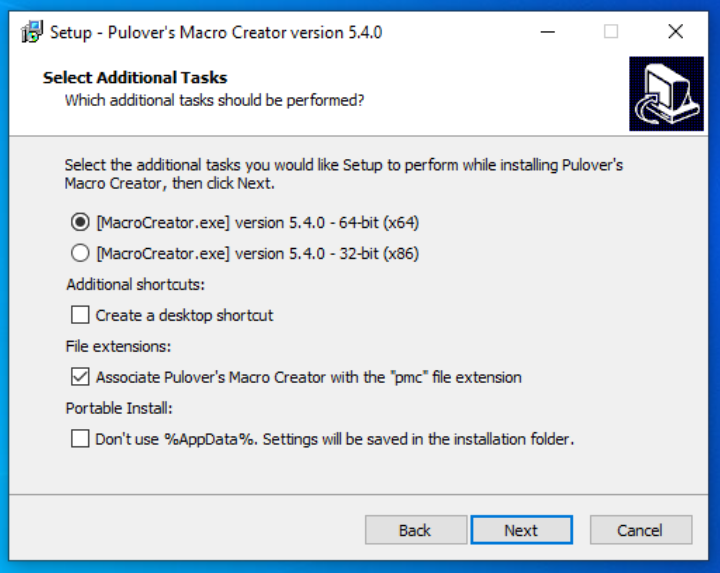
After installing, click the Play button to playback a demo script. To create your own recordings click on the Record button. Everything is self-describing. You record something, and then the computer automatically plays back exactly what you just did. Pulover’s Macro Creator is based on the AutoHotkey script engine. After you record a macro, you can see the AutoHotkey commands on the right side of the screen.
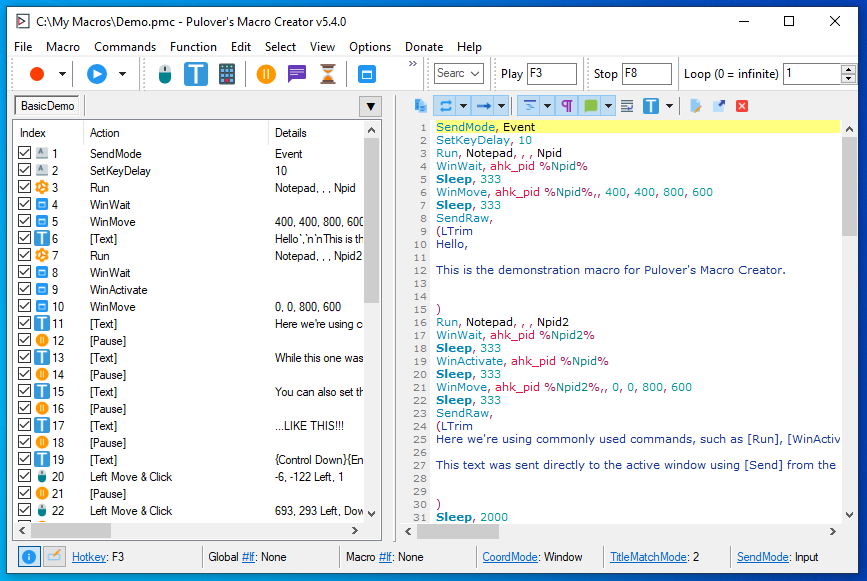
My tests show that it works very well and recordings are played back properly, but it lacks some core features to be a fully featured automation suite. For instance, if you want to replace a human worker — database operator with a software robot, then it is easy to teach the robot how to enter data in your database forms. However, to add some dynamic variables… in other words, to teach the robot to take data from some other source, you need some custom programming using AutoHotKey Scripts.
7. AutoHotkey scripts
As I wrote in the previous chapter, you can use a Macro Creator to create scripts that can be played back multiple times. The scripts are in the popular AutoHotkey language format. If you like you can download just the AutoHotkey part without a Macro Recorder. But in such a case you must learn to write a computer program using the scripting language.
There is a huge community of AutoHotkey users and a lot of resources for learning:
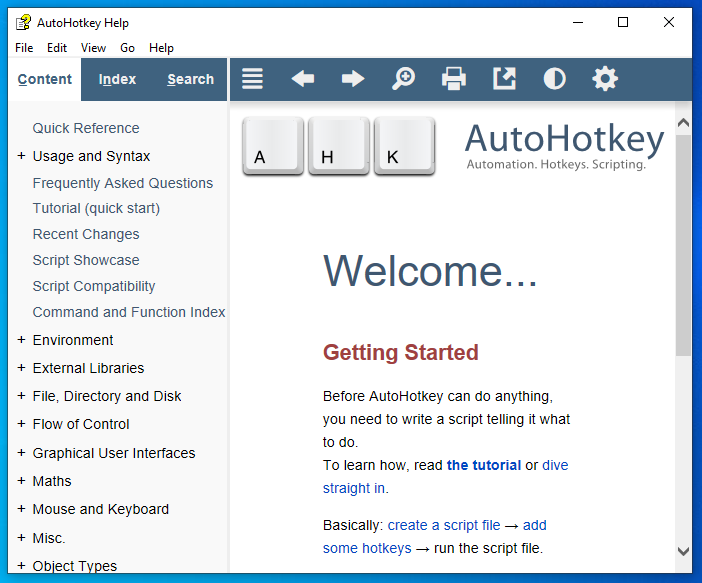
As you can see in the above screenshot, the AutoHotkey app is just a help file that asks you to create a script by manually writing it. If you are still learning programming, I suggest you start with Macro Recorder by recording simple scripts, and learn by reading/analyzing them.
8. PowerShell, batch files, VBScripts, JScripts
The most powerful part of automating repetitive tasks in Windows is writing a program or script. While it is the most powerful it is also the hardest one, because:
- You must learn programming or you need to pay someone to write a program for you
- Writing a powerful script takes a lot of time
- Every complex computer program has a lot of bugs
- You will spend resources to maintain the program or script when time passes
The most popular scripting languages to automate computer tasks for Windows are:
- Microsoft PowerShell
- Open source programming language Python
Some leaser used alternatives that are built into Windows:
- Batch files
- Microsoft VBScripts
- Microsoft JScripts
But if you are going to learn scripting then you should choose your language by the following considerations:
- If you love Windows and know that you will never user a Linux distribution, then choose PowerShell
- If you want to be flexible (Windows, Linux, and a bunch of other OSes) and you love open source, then choose Python. There is even a very popular free ebook called Automate the Boring Stuff with Python
Conclusions
There are tons of solutions to the Windows automation problem, and a lot of different approaches. Starting from custom programming and scripting to UI based software robots. There are open source, freeware, and commercial solutions. People are saving billions by automating stuff. The world is changing and you can be part of it. Start automating mundane and repetitive tasks today!